

Model Council is a multi-model research feature that runs your question across several AI models at once and synthesizes one unified answer. It is available on web, in the iOS app, and in Perplexity Computer.
Important: There is a monthly cap on how many Model Council queries you can run, except for Model Council in Computer, which uses credits.
Who can access Model Council
On web and in the iOS app, Model Council is included for subscribers on the Max and Enterprise Max plans. It is not available on the Free, Pro, Education Pro, or Enterprise Pro plans.
In Computer, Model Council runs as a skill and is available in all paid plans.
Note: In the iOS app, Model Council requires version 26.16.0 or later. It is not yet available as a standalone search mode in the Android app or in the desktop apps.
Why use several models
Every AI model has blind spots. It may overlook context, lean toward certain perspectives, or fill gaps with confident guesses. For research you plan to act on, relying on a single model carries risk.
Model Council shows you both halves of that picture:
Where the models converge, so you can move forward with confidence
Where the models disagree, so you know when to dig deeper
What only one model surfaced, so a minority finding is not lost
It suits questions where accuracy and balanced perspectives matter most. Examples include investment research, major decisions such as a purchase or a career move, and verification tasks where you need to cross-check a fact before acting on it.
How Model Council works
Model Council queries several leading AI models at the same time. The default lineup is one frontier model each from Anthropic, OpenAI, and Google. A synthesizer model — a model whose only job is to read the other answers — then reviews every output and resolves one combined answer. That answer shows where the models agree and where they differ.
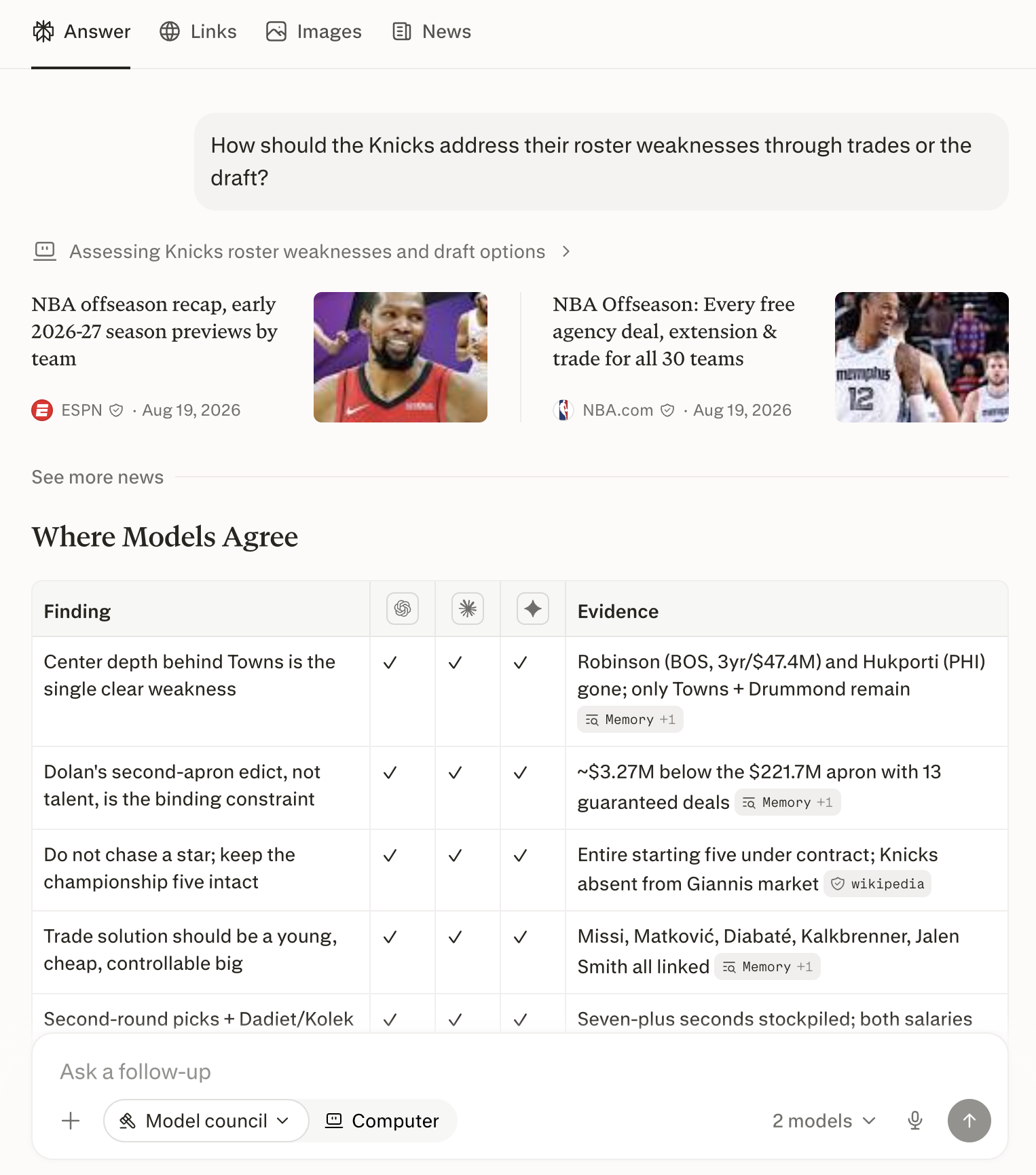
Figure 1 — The Model Council result on web: one synthesized answer, with each model’s contribution below it.
How to run a Model Council on web
Go to the Perplexity homepage on web.
Click Search below the search bar.
Select Model Council.
Enter your question and press Enter.
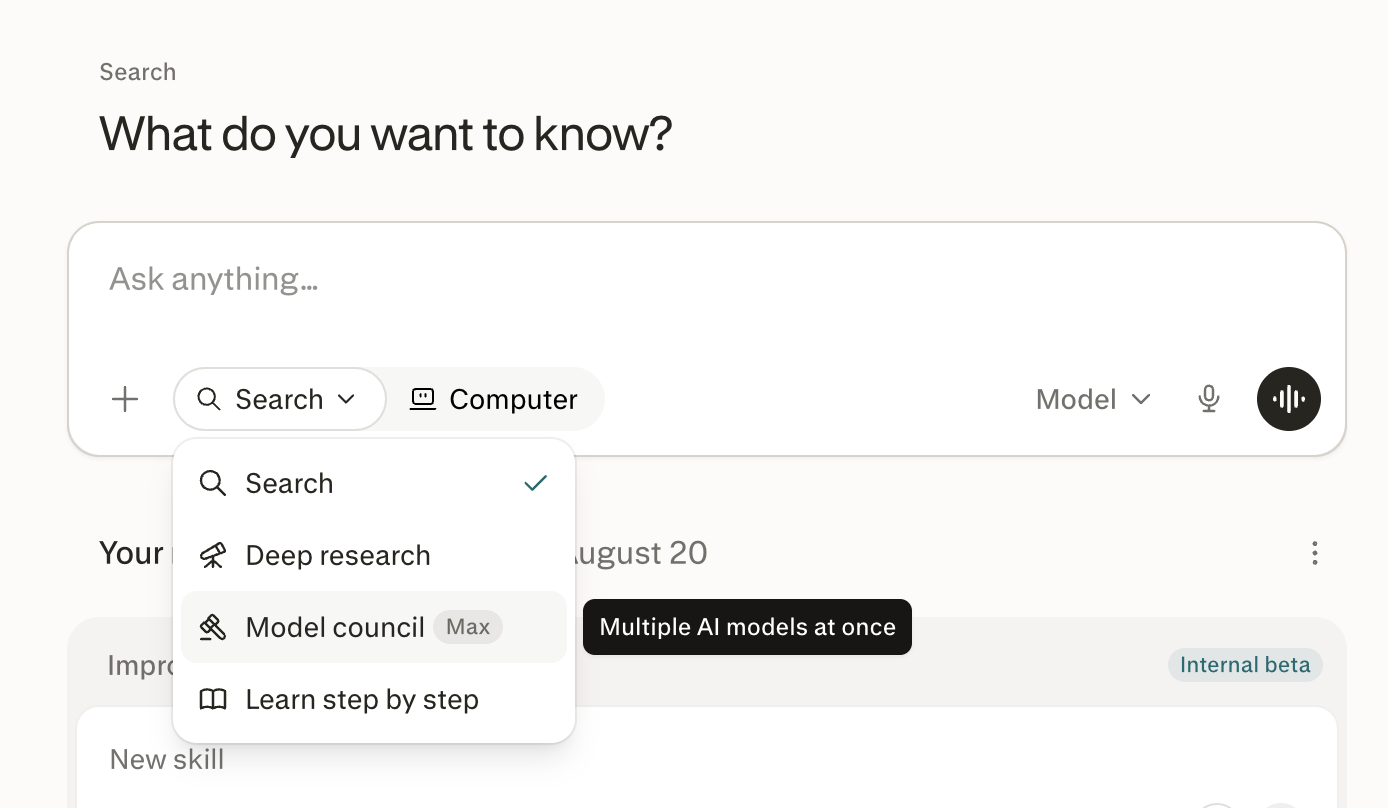
Figure 2 — The Search menu is the entry point for Model Council on web.
How to verify it worked. The search bar shows Model Council as the active mode and displays 3 models (where 3 is the number of models used). Your answer arrives as a single synthesis with the contributing models named.
Can I choose which models are used? Yes. Click 3 models in the search bar to see the available options, then toggle models on or off. A council on web always runs three models, so deselect one to make room for another. Each model also has a Thinking toggle for deeper reasoning.
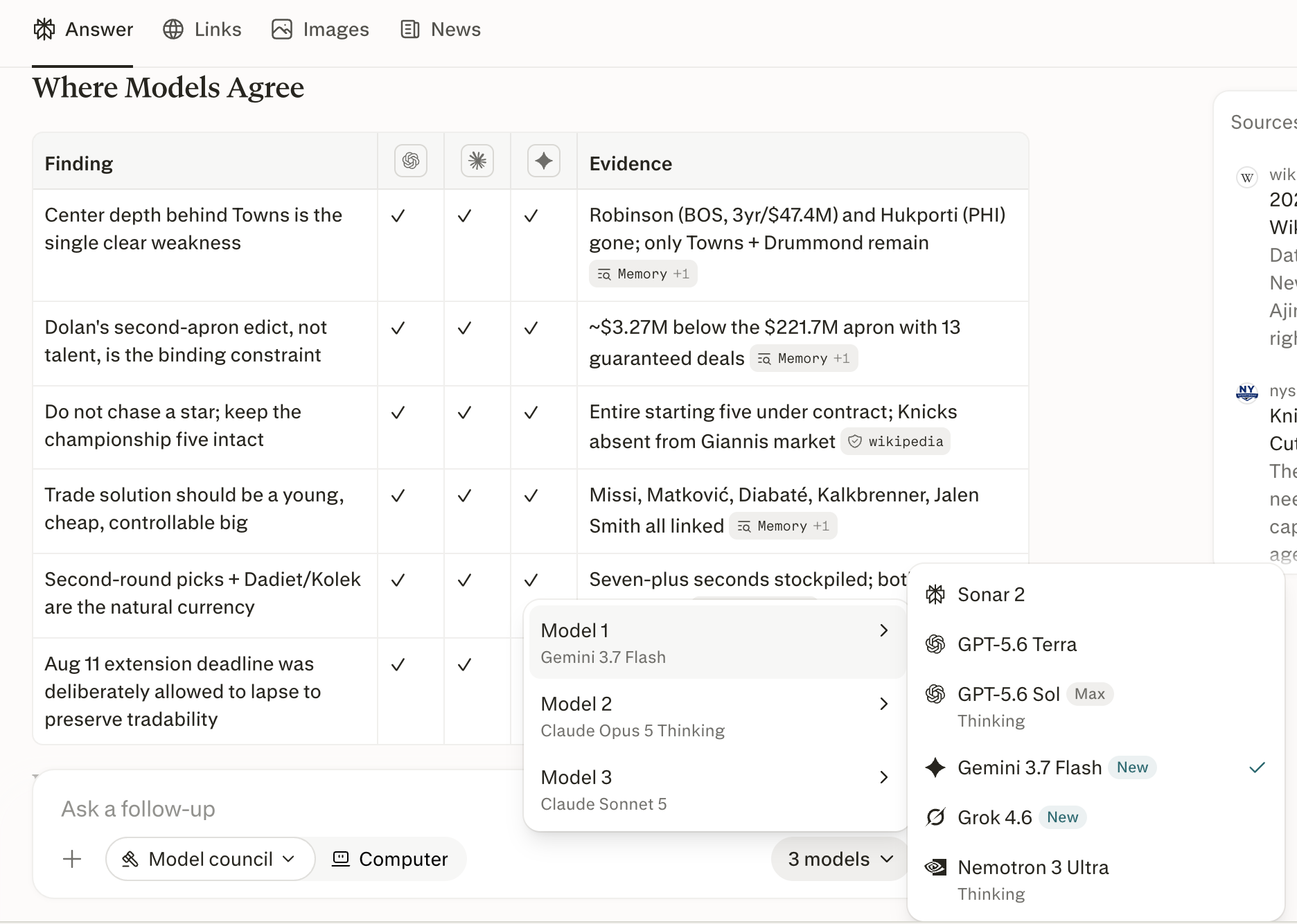
Figure 3 — Toggle models on or off in the picker. Deselect one model to add another.
How to run a Model Council in Computer
In Computer, each model researches your question independently and at the same time, then Computer writes a single synthesis comparing what they found.
Open Computer, click the dropdown option, and select Model Council, or type your request directly — for example, "Run a Model Council on which of these two suppliers we should choose".
Choose between two and eight models, or let Computer pick the default lineup.
Choose the depth of analysis you want, from brief insights to a detailed report.
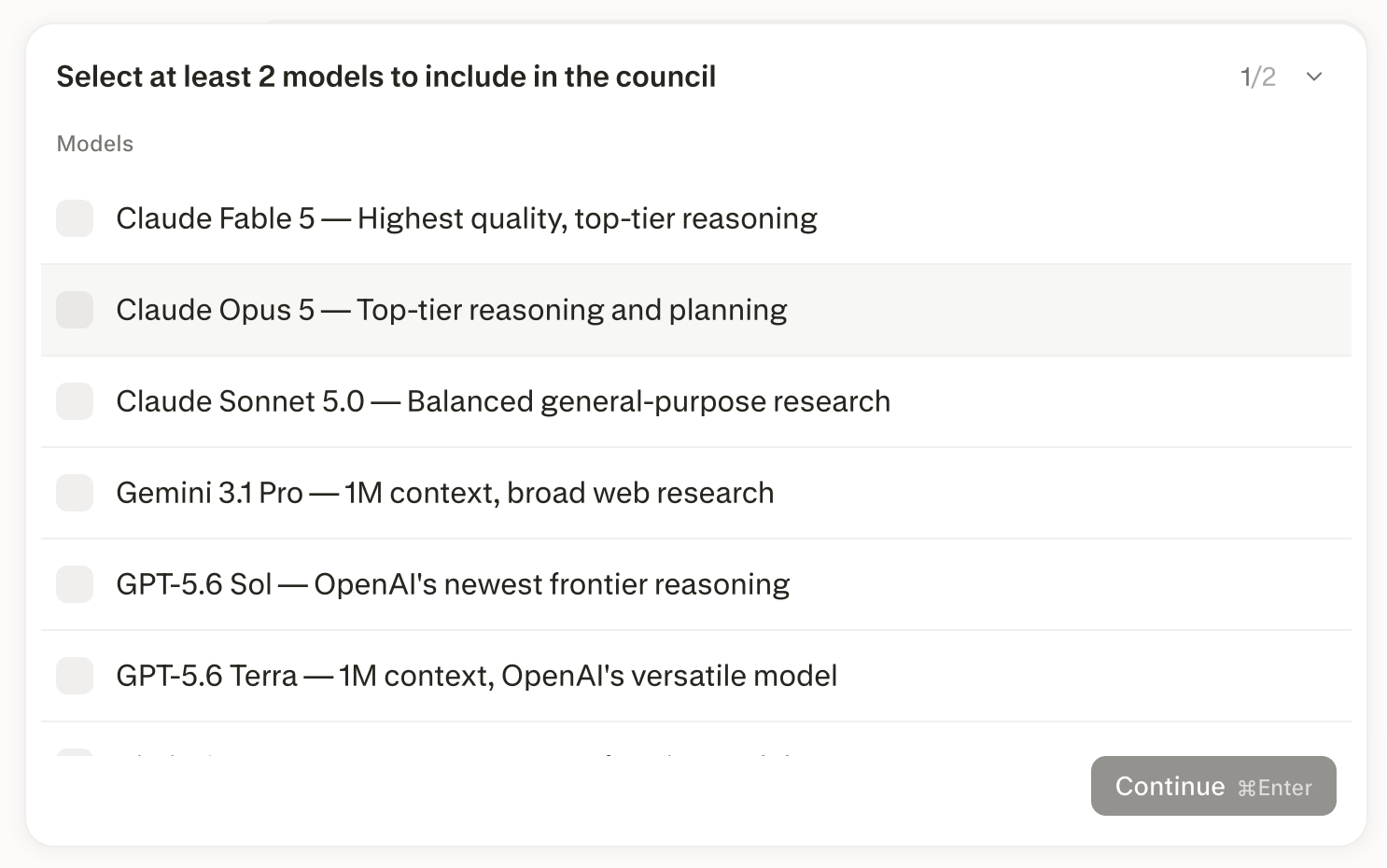
Figure 4 — Choosing the council in Computer: pick between two and eight models.
Computer returns one synthesis organized by where the models agree, where they disagree and why, and any finding only one model surfaced. It also returns each model’s full report as a separate file you can open or download. If you ask for one, it can package the result as a PDF, deck, or spreadsheet.
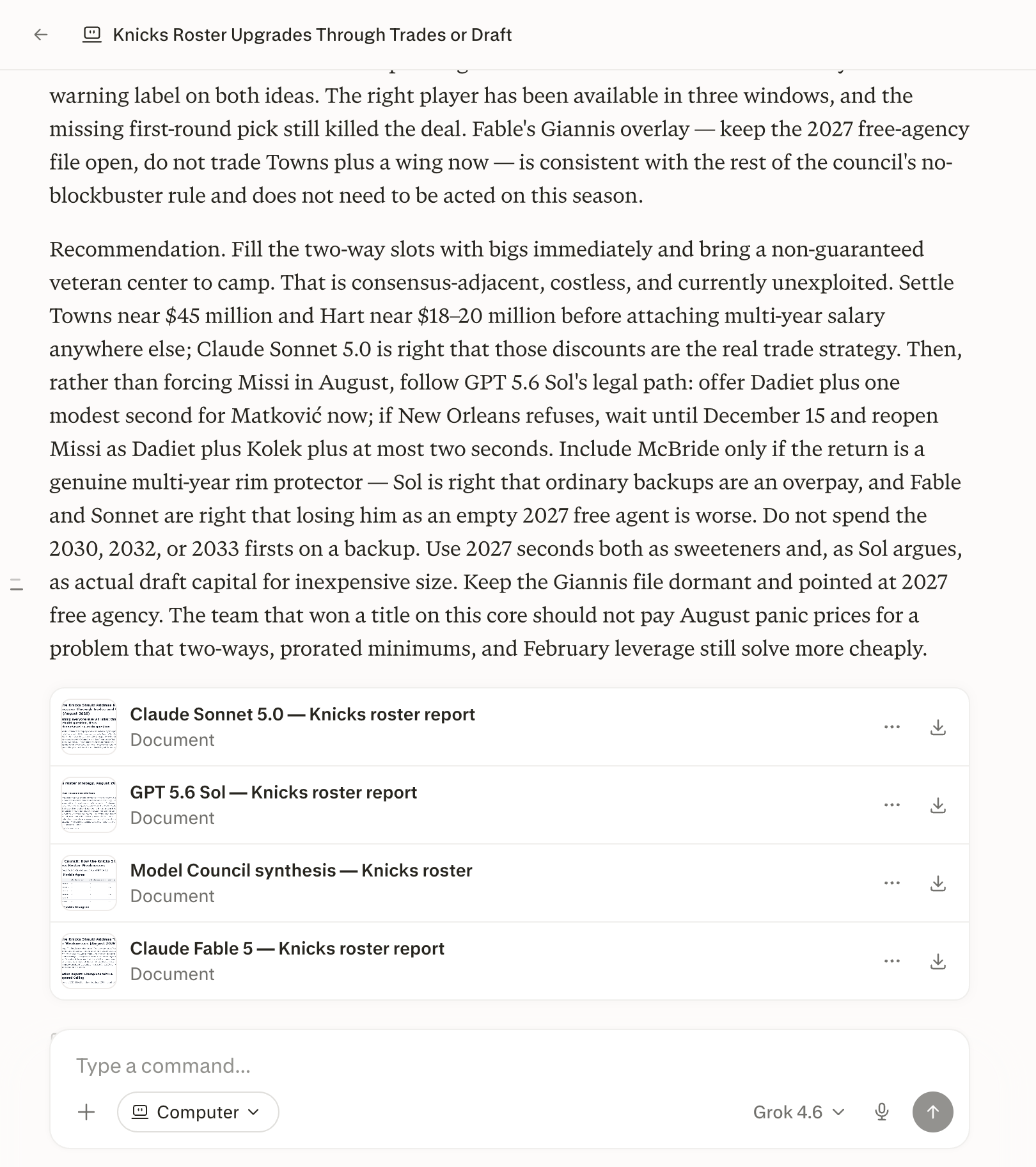
Figure 5 — The Computer synthesis, with each model’s full report available as a file.
Important: In Computer, a Model Council run spends credits from your Computer allowance rather than your Model Council query cap. Because every model on the council researches your question separately, a council costs more credits than a single-model session, and each additional model increases that cost.
How Computer differs from web
Model Council behaves differently in Computer than in the web and iOS search modes.
Aspect | Web and iOS | Computer |
Number of models | Three | Two to eight |
Choosing models | Toggle models in the search bar | Name them in your request, or pick from the list Computer offers |
Output | One synthesized answer in the thread | Synthesis plus each model’s full report as files |
Allowance | Monthly query allowance on your plan | Uses your Computer credits |
Table 1 — Model Council behaves differently in Computer than in the web and iOS search modes.
How much does Model Council cost?
Model Council is included with Perplexity Max at $200 per month or $2,000 per year, and with Enterprise Max. On web and in the iOS app there is no extra charge per query within your plan’s monthly cap.